How to Add Someone to @goifoudation network
This tutorial assumes you have knowledge of updating a directory on @ReclaimHosting using SFTP.
- Log into Reclaim Hosting using our admin accounts,
- Click on Cpanel.
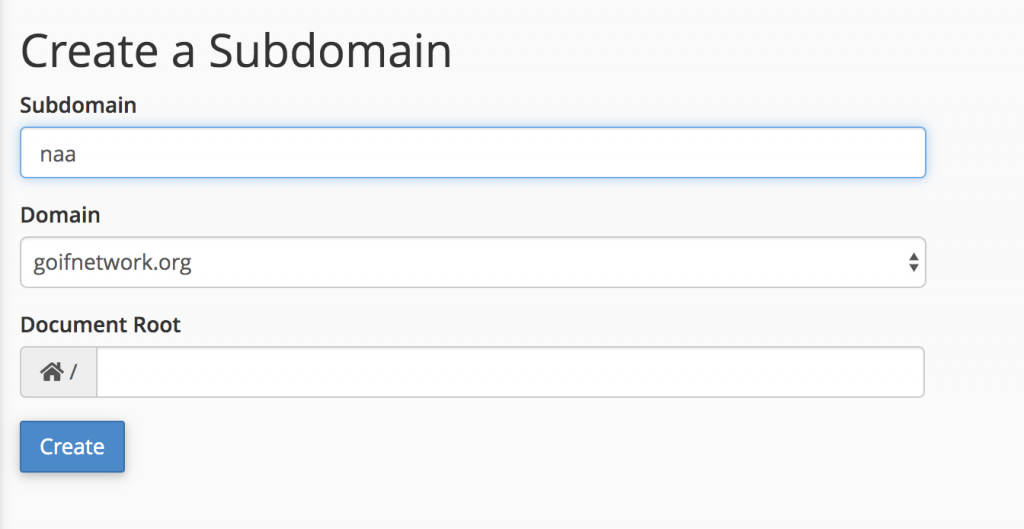
- Click on Subdomain
- type in the desired subdomain and hit create
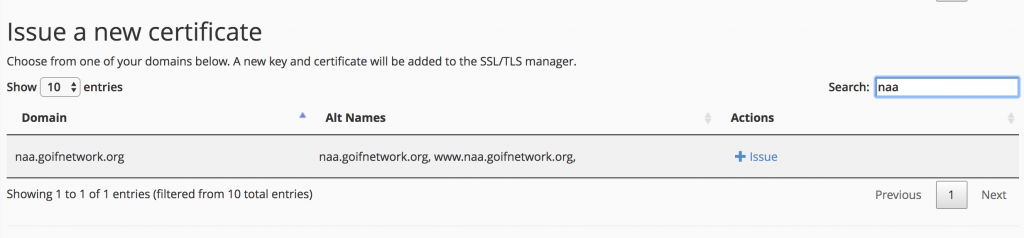
- Go back to Cpanel and under security clixk on "Let's Encrypt"
- Search for the new subdomain and then click issue
- Go back to CPanel and click on "All Applications"
- Find the Known app under "Content Management" and click install
- Choose the correct location to istall. Make sure to use the https address and remove the directory
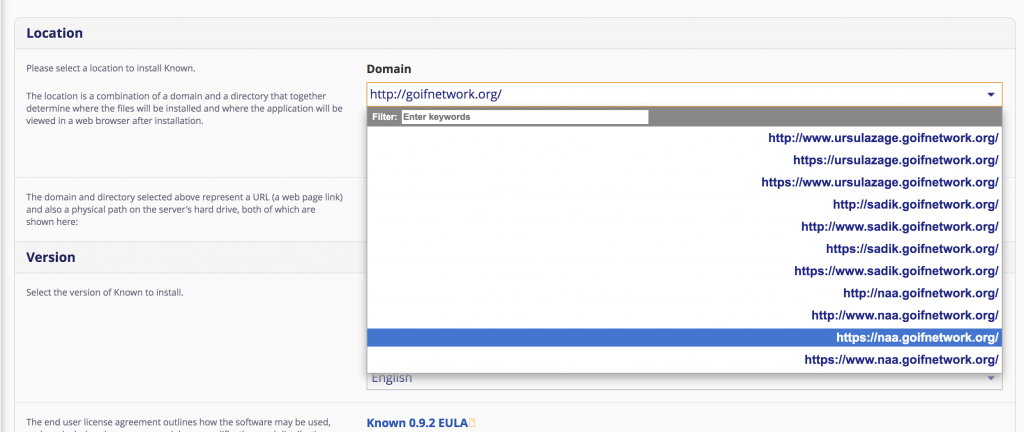
- Click Install. This will install version 0.9.2 we will now update to the latest version.
- Open this link to get the code to install Composer.
- Now back in Cpanel go to Terminal under advanced
- go to the directory you created as a subdomain for this example I typed "cd naa.goifnetwork.org" which means change directory to....
- Then copy the line of code found on the link you opened
- Go to https://withknown.marcus-povey.co.uk/ and download the latest package
- Then open up your FTP client
- Navigate to the new directory and copy everything to the folder.
- Sit back and wait until file transfer is done and you are done.