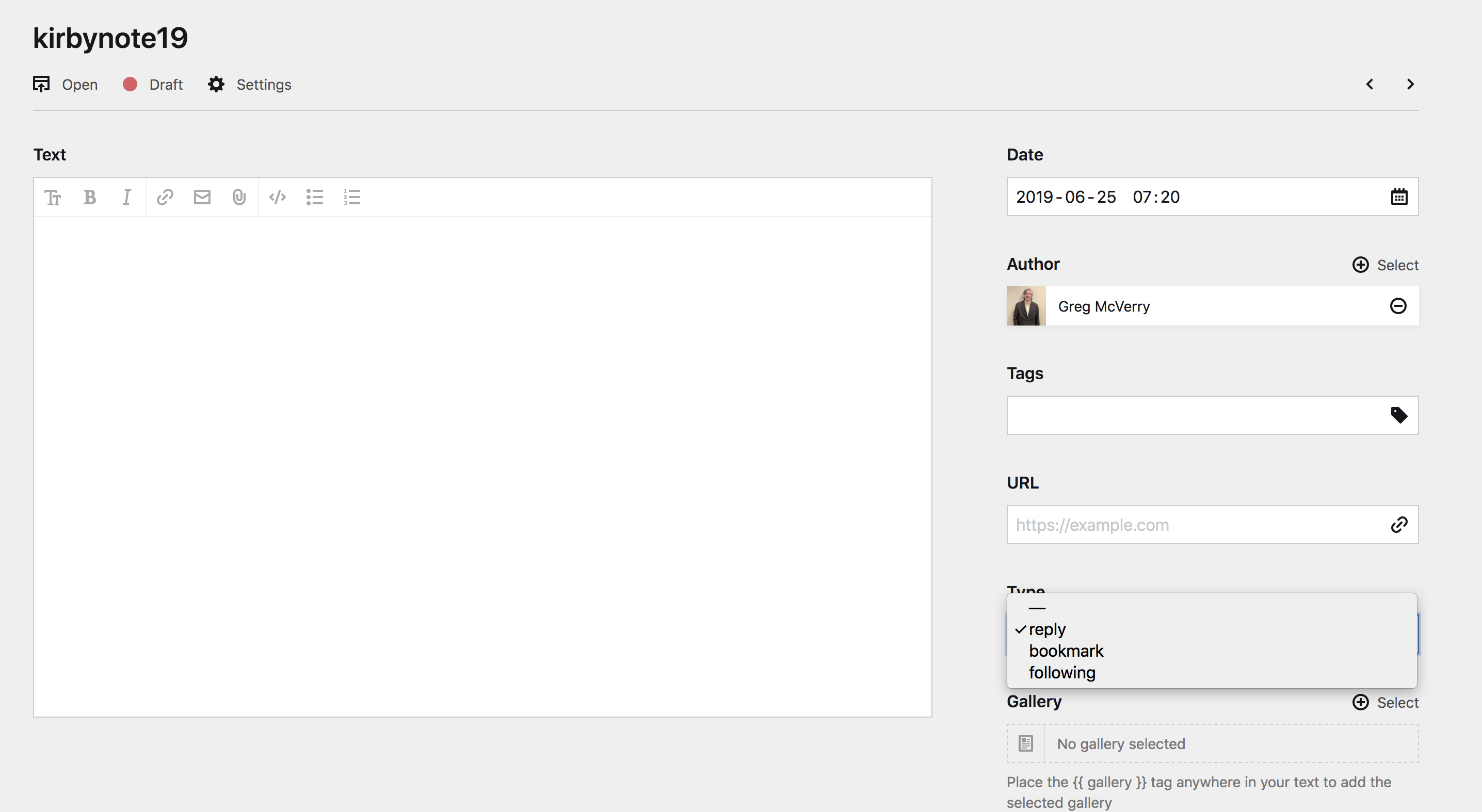
My @GetKirby UI for Different #IndieWeb Post Types
In the image above the text field takes up 2/3 on the left and my meta fields take up 1/3 with date, author, tags, url and then a post type selection with reply, bookmark, and following.
Thanks to the amazing https://sonjabroda.com/ I worked through how I wanted to handle different post types in the Kirby UI panel.
Many people have started to use post type discovery rather than building templates for every different type of post types, but I don't have those skills.
I think I kind of came up with a hybrid solution. I will have three template, notes, photos, and articles. I will then add selection fields for different variables for post types.
So if I wanted to write a replu I could select note and then choose review in the Type selection menu.
Then using a bit of PHP I will transform the variable into u-in-reply-to and then echo the transformed variable into my note template.
I can then create other rules down the line to sort notes by replies. This will come in handy if I wanted to build a page of just replies.